
We’ve made it even easier to explore more options within Elements
Could there be a more competitive price on the panel?
We’ve made it even easier to explore more options within Elements.
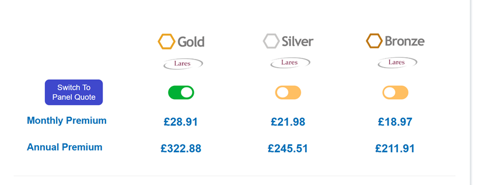
The Switch to Panel Quote button has been moved higher up in the quote journey, making it more visible and encouraging you to check the wider panel before progressing.
With just one click, you can explore quotes from other available providers, and you may find a more competitive premium or an option that better suits your customer’s needs.
Don’t stop at the first quote
When you see Switch to Panel Quote, take a moment to click through and see what else is available. A more competitive option could be waiting on the panel.
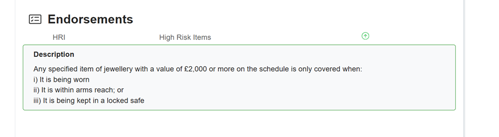
We’ve also made endorsements clearer and easier to see across both quoting platforms helping you quickly identify important conditions that may apply to your customer’s cover.
Our message is simple: explore the panel, compare the options and give your customer the confidence of knowing they have access to the choice available.